| Kit Name | VEIL – Sound Kit V3 |
| Pack Type | Multi-Format Sound Kit |
| Sound Category | Atmospheric, Melodic, Electronic & Experimental |
| Best For | Trap, Ambient, Melodic Beats & Sound Design |
VEIL – Sound Kit V3 is a versatile music production collection featuring Serum 2 presets, one-shots, MIDI melodies, phrases, starters, sound effects, and drum loops. Designed for producers exploring atmospheric textures, melodic ideas, and experimental sounds, this multi-format kit offers flexible tools for creating distinctive beats and original compositions.
Key Features:
- 70 Serum 2 presets
- 100 one-shot samples
- 28 musical phrases
- 15 starter ideas
- 25 MIDI melodies
- 30 sound effects
- 15 drum loops
How to Use:
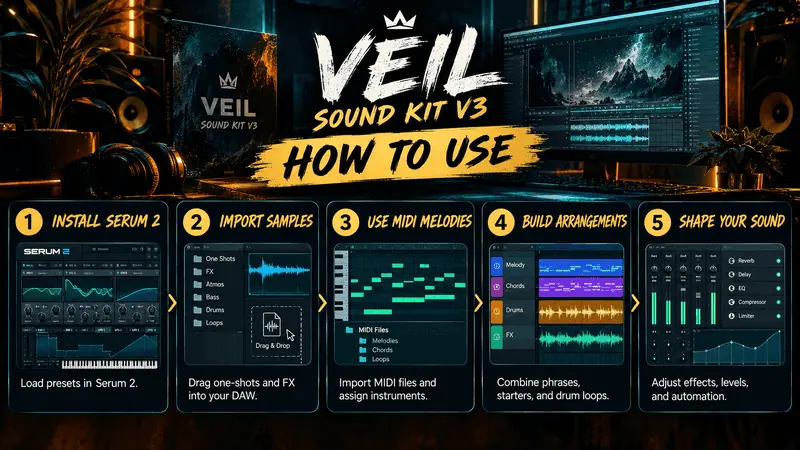
- Install Serum 2: Load the included presets into Serum 2.
- Import Samples: Drag one-shots and FX into your DAW.
- Use MIDI Melodies: Import MIDI files and assign your preferred instruments.
- Build Arrangements: Combine phrases, starters, and drum loops.
- Shape Your Sound: Adjust effects, levels, and automation to create your own style.
What sounds does it have?
VEIL – Sound Kit V3 includes a versatile collection of sounds for modern music production, including:
- Serum 2 Presets: Synth sounds for melodies, leads, basses, and atmospheric textures
- .One-Shot Samples: Individual sounds for layering and sound design.
- Musical Phrases: Ready-made musical ideas to inspire new tracks.
- MIDI Melodies: Editable MIDI patterns for creating custom melodies.
- Drum Loops: Rhythmic loops for building beats.
- Sound Effects (FX): Textures and transitions to add depth to your productions.
- Starter Projects: Starting points to help develop new musical ideas.
How do you use it?
- Load Serum 2 Presets: Open Serum 2 in your DAW and browse the included presets to find leads, basses, and atmospheric sounds.
- Import One-Shots: Drag one-shot samples into your sampler or audio tracks to create custom sounds and drum patterns.
- Use MIDI Melodies: Import MIDI files into your DAW and assign instruments to customize the melodies.
- Add Loops and FX: Incorporate drum loops, musical phrases, and sound effects to add rhythm, movement, and depth.
- Build Your Track: Combine the sounds, adjust effects, and arrange everything into your own unique production.
Leave a Reply